Operating logs, field round readings, lab result entry, checklists: a valuable share of your data still lives on paper or in Excel. OIAnalytics Input forms make it reliable and instantly usable.
What input forms do
Input forms let you build the entry screens your teams need with no code, and feed the entered data straight into the platform, in the right format and the right context. Several form types are available to cover a wide range of use cases:
Time data: numerical, text, vector or event values at a given timestamp.
Multi-time: values over several intervals at a regular cadence (operating logs).
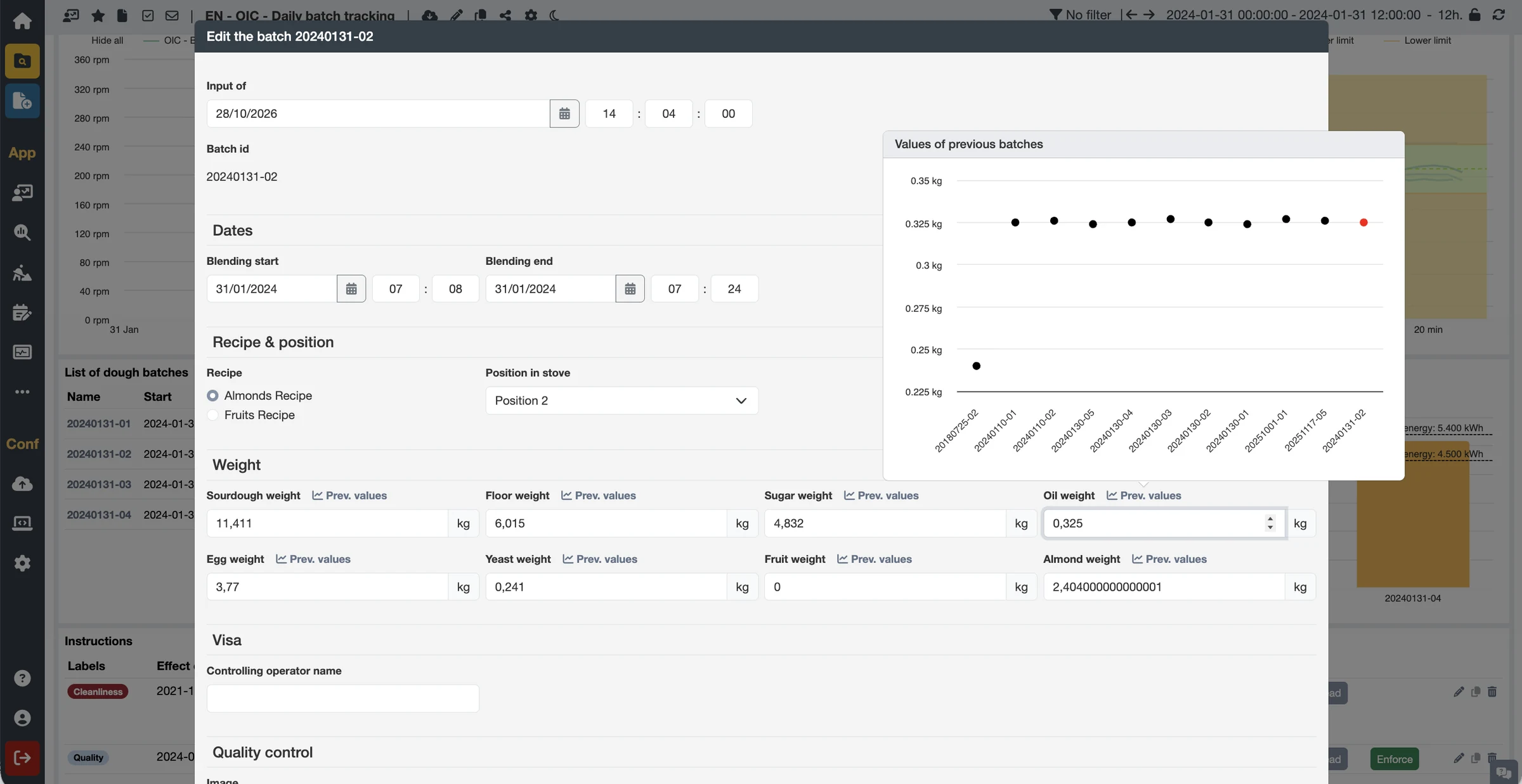
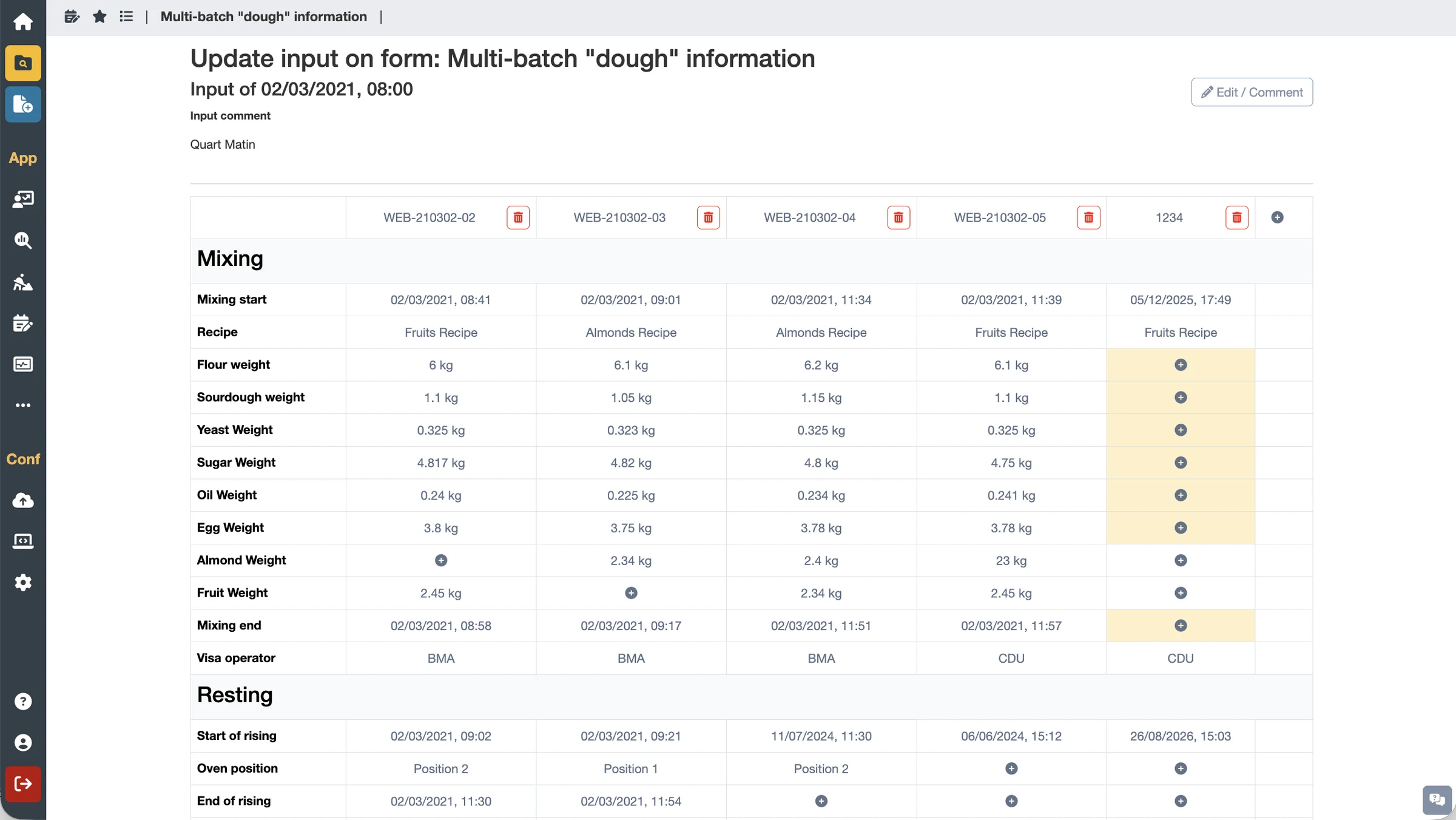
Batch and multi-batch: create batches or complete information on one or several batches.
Batch relations: create or edit genealogy links.
Events: enter and qualify events.
What you gain
Paper-free lines: operating logs, rounds and checklists go digital.
Better data quality: guided entry, pre-fills and validation rules (for example, no negative values).
Traceable, auditable entries to meet regulatory requirements.
Key features
Forms that speak the language of your process: batches, multi-batches, genealogy and events are entered directly into the contextualization engine models, whereas a generic form tool only produces tables.
Forms embedded in dashboards: operators enter data in the context of what they are looking at.
100% no-code creation, accessible to business teams.
Access from a dashboard or from the dedicated menu.
Access rights per user or group, for both data entry and configuration.
A wide variety of data can be entered: numerical, text, traceability, images…